What a station can do
The whole platform, one page. Channels, enrichment, upload, broadcast, stats — everything a station owner actually works with.
Rotation & templates
Your station streams an ongoing rotation — the music you've uploaded, continuously ordered and played. Listeners open your URL and the rotation is already playing. No gaps, no "what's next" dialogs, no shuffle button to negotiate with.
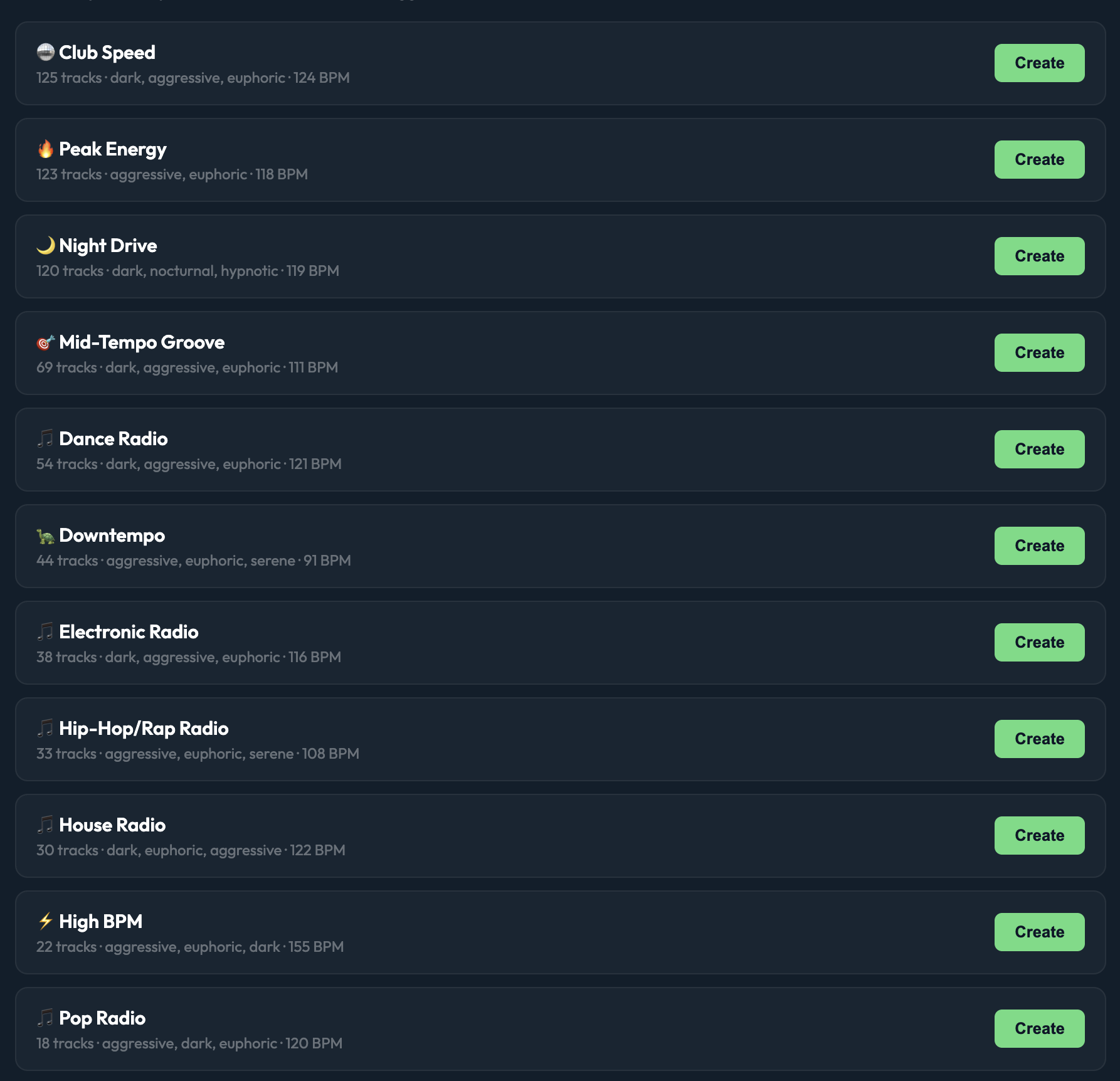
Templates to start fast. Instead of staring at an empty library, pick a template: Club Speed, Peak Energy, Night Drive, Downtempo, Hip-Hop/Rap, House, Pop, and more. Each template seeds your rotation with a curated starter track set matching a mood, BPM range, and genre. Tweak from there.
Library & AI enrichment
When you upload a track, the platform runs it through an enrichment pipeline: audio fingerprinting (via AcoustID), metadata lookup (MusicBrainz, iTunes), and AI classification (Claude) for mood, vibe, and BPM. The track arrives in your library already tagged with euphoric, confident, relaxed, meditative, along with cover art and artist bio.
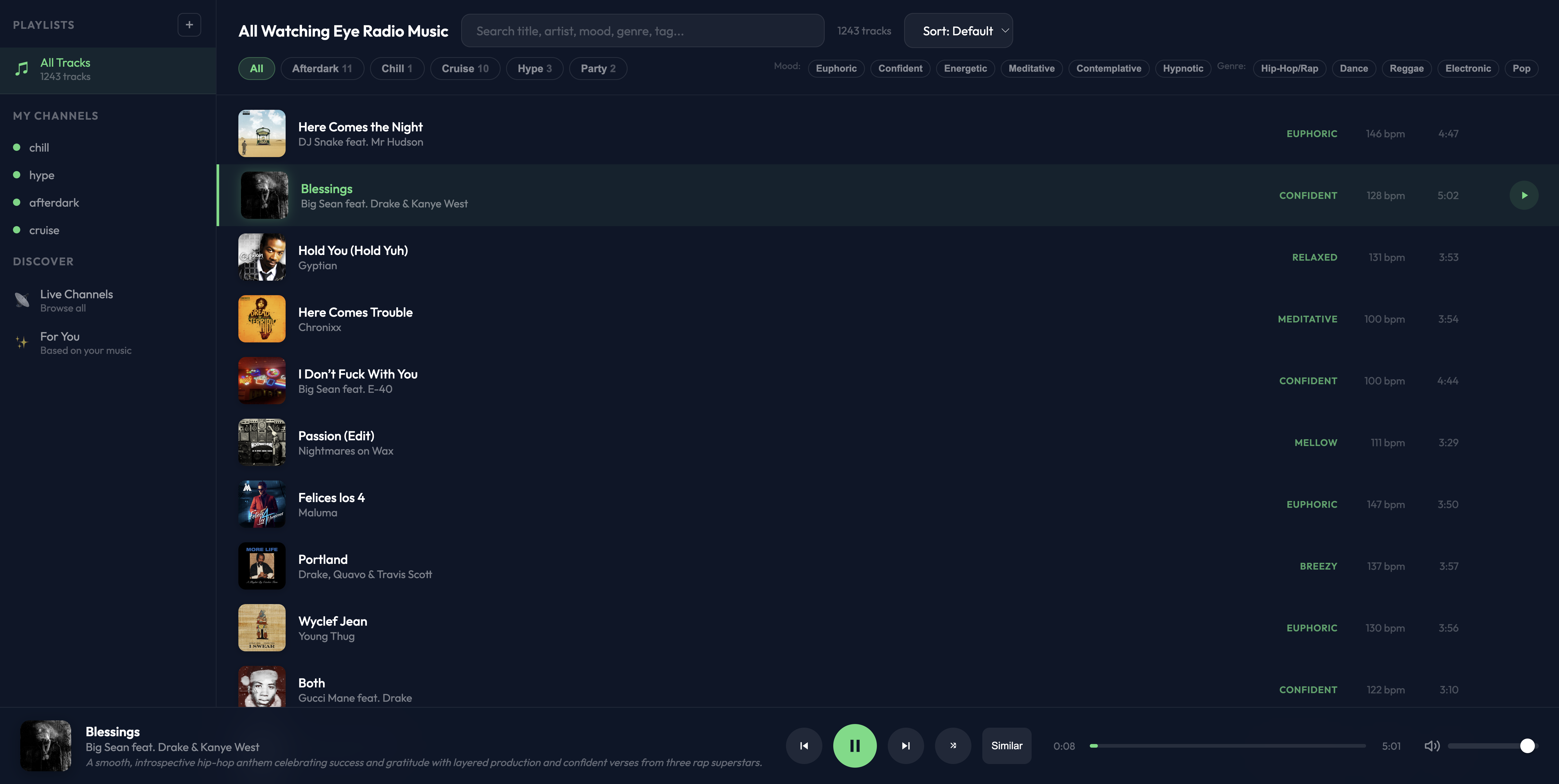
Search and filter. By title, artist, mood, genre, BPM. The library supports both table view (dense, scannable) and a grid view with cover art when you want to browse visually.
Enrich in bulk. Existing tracks can be enriched retroactively with one click, or enriched automatically as they're added.
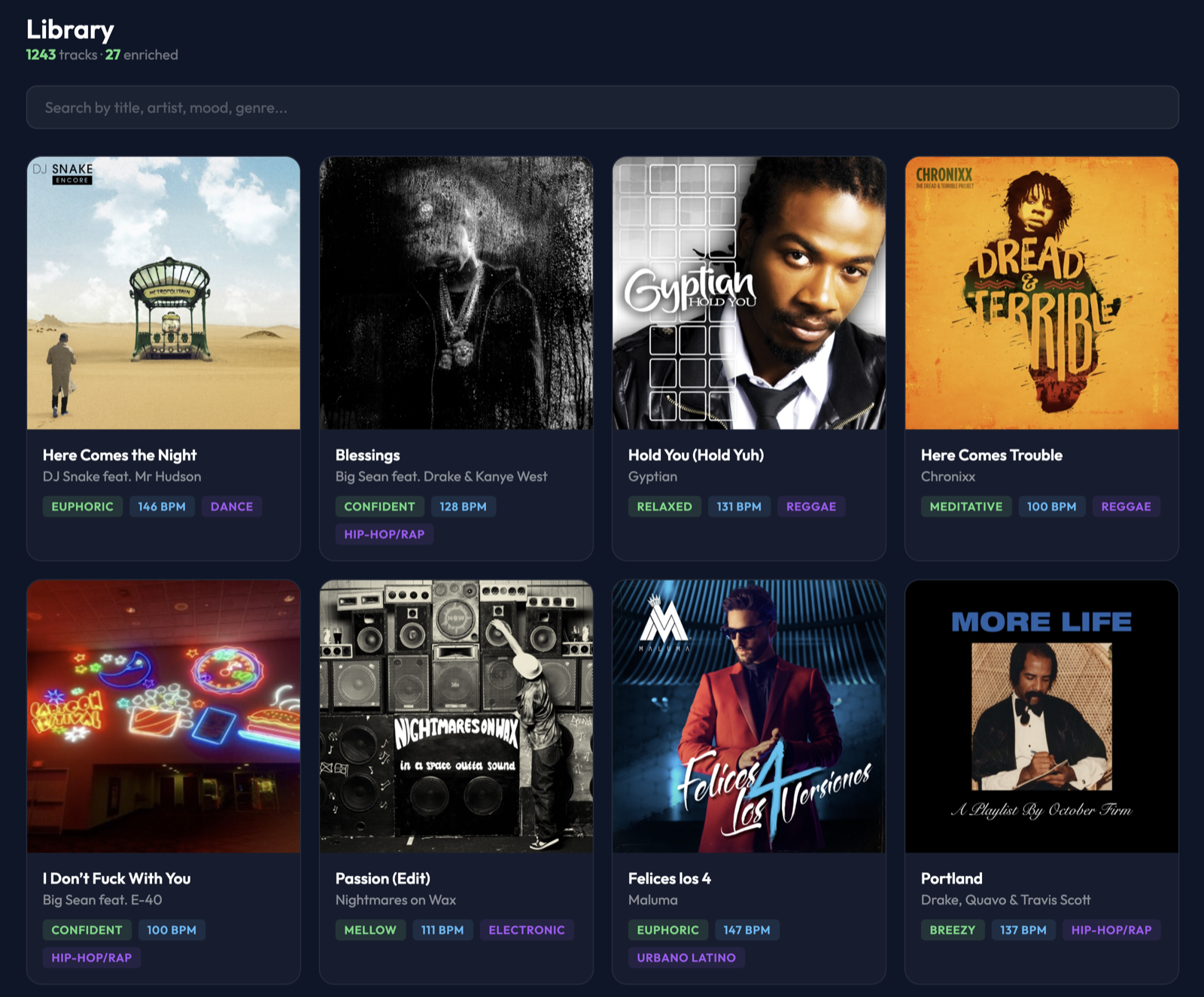
Table view has the same data with a different density — useful when you have thousands of tracks.
Upload
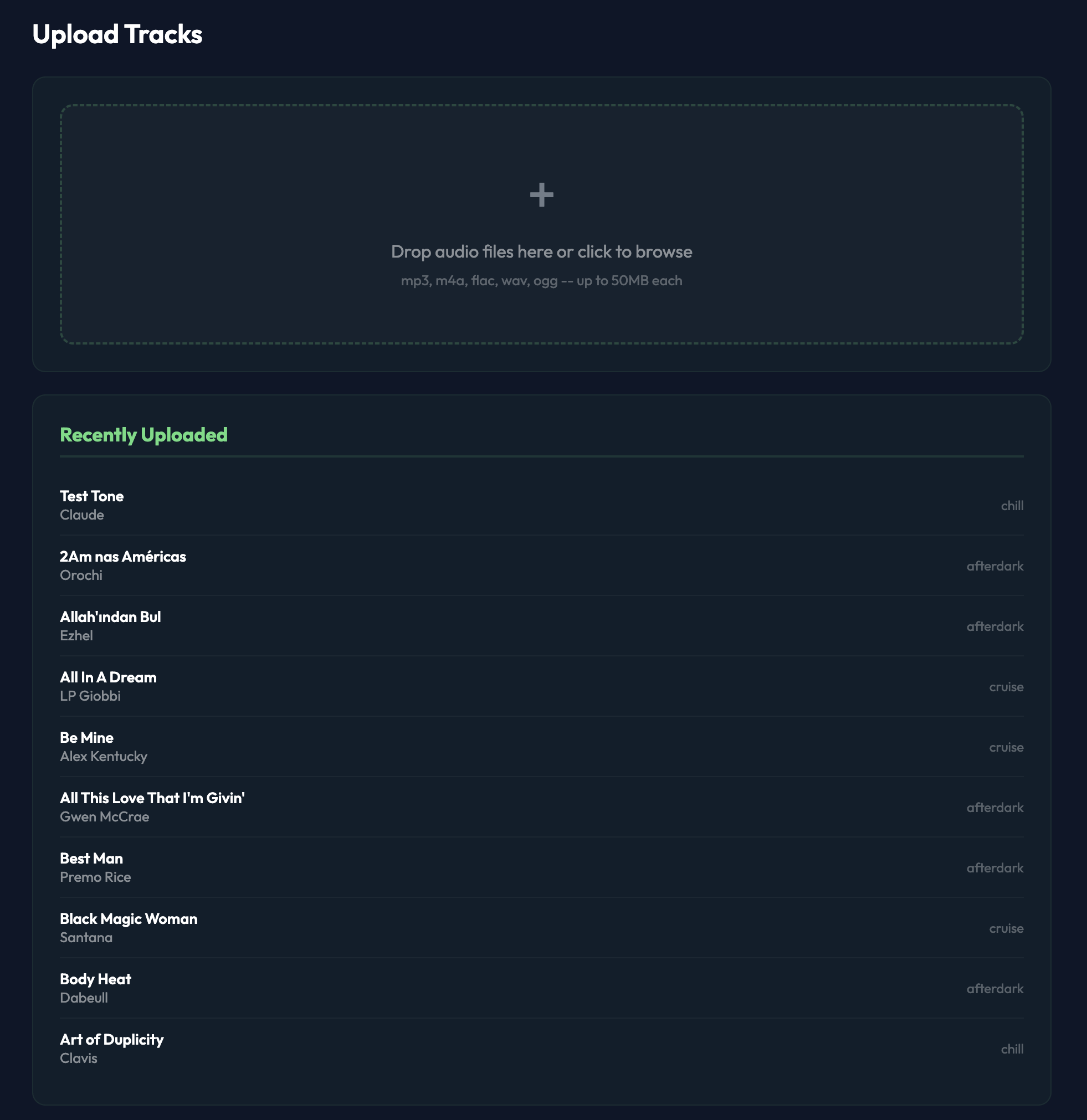
Drop any audio files — MP3, M4A, FLAC, WAV, OGG — onto the upload page. They're uploaded, enriched, and immediately available to the rotation. No encoding, no transcoding decisions, no "wait 20 minutes for processing."
Individual files up to 50MB each. No arbitrary cap on total uploads. The recently-uploaded list tracks your last 50 so you can verify the enrichment landed correctly.
AI DJ
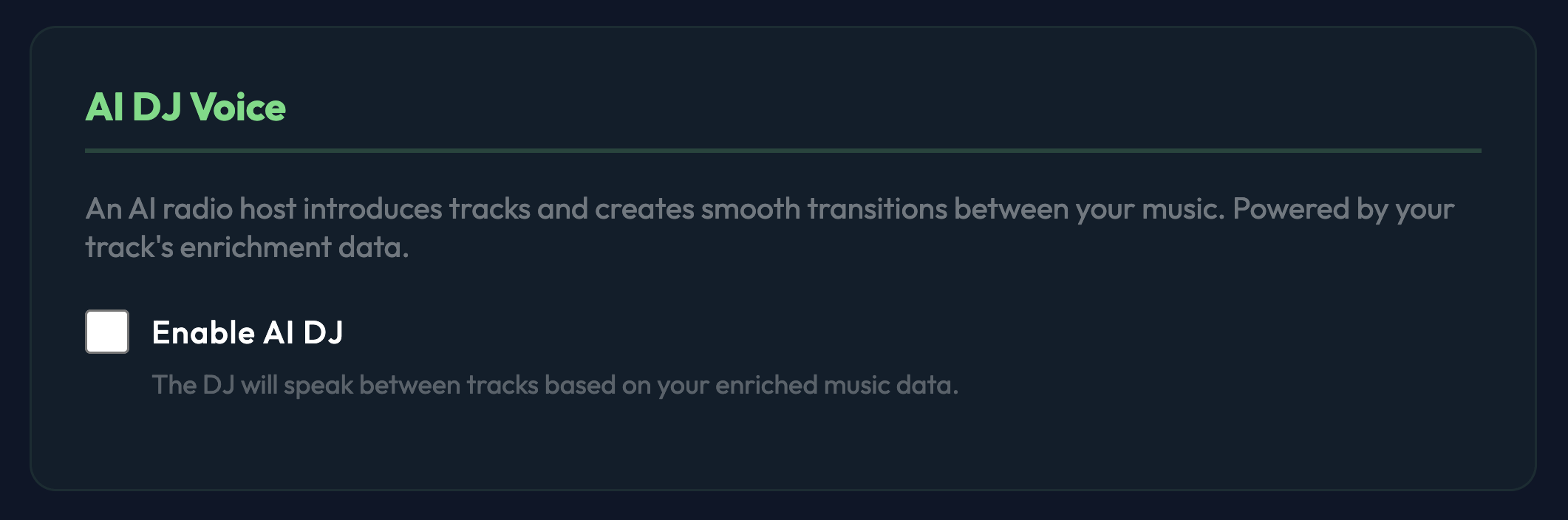
Optional. Off by default. Turn it on and between tracks an AI-generated voice introduces the next song using context from your enrichment data — artist bio, mood, why it fits the current rotation. Brief, tasteful, not a spammy DJ morning-zoo.
Leave it off for a station where speech between tracks would be wrong (meditation, sleep, study). Turn it on where radio-style presentation is the point.
Live broadcast
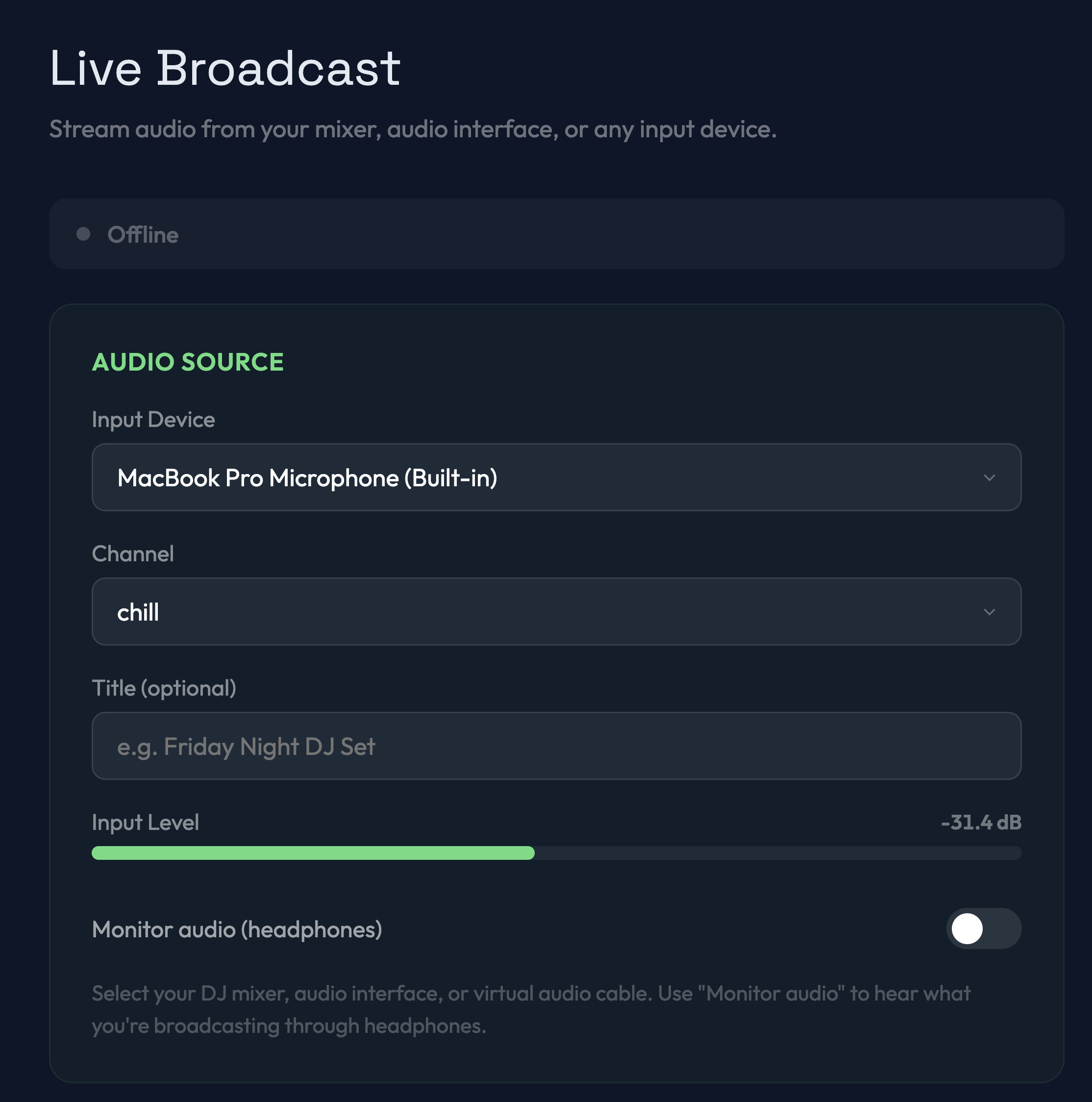
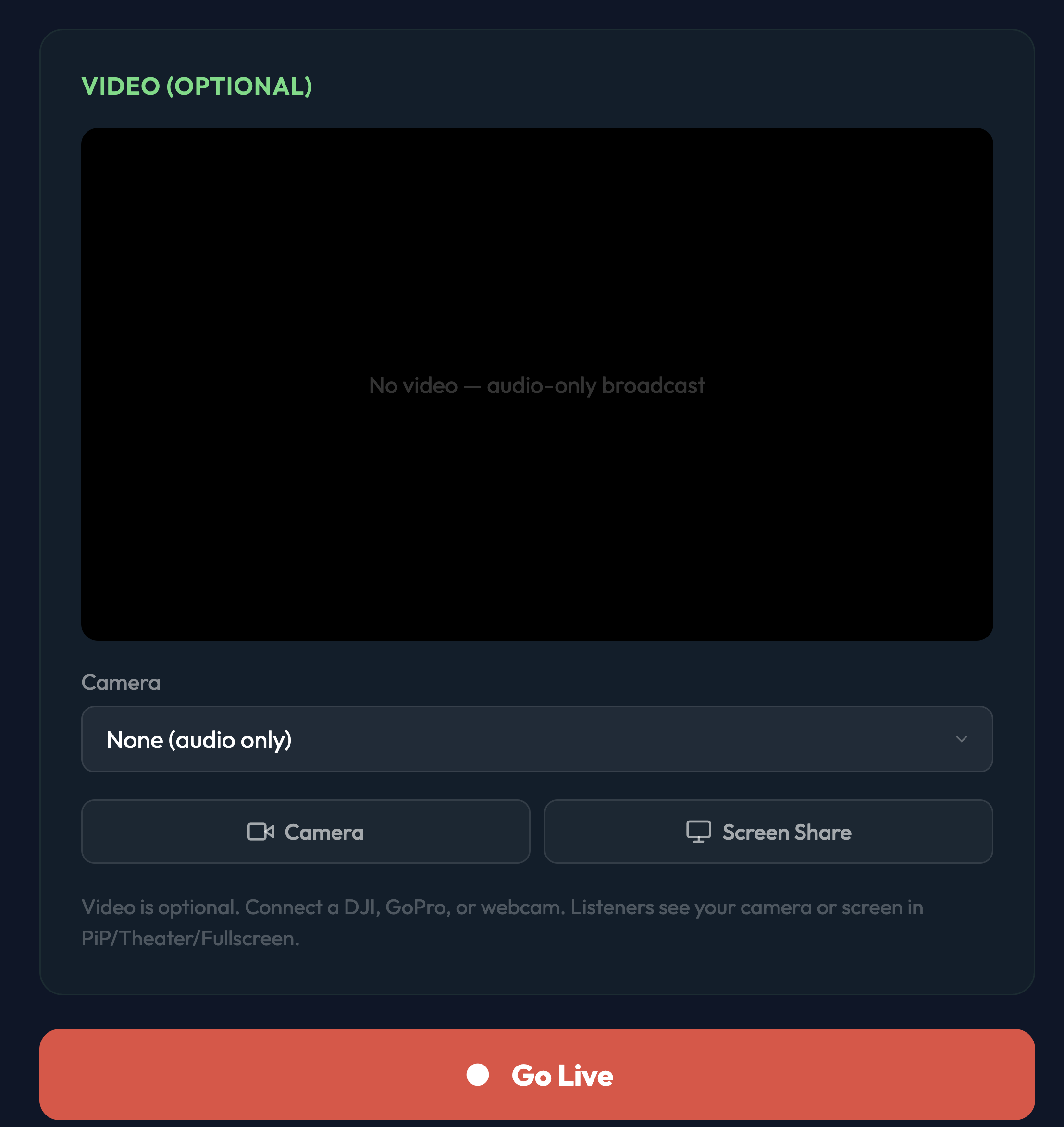
One button to go live. Select any audio source — built-in mic, USB interface, DJ controller, virtual audio cable, whatever's plugged in. When you're live, your audio replaces the rotation. When you stop, rotation picks up where it would have been.
Optional video. Add a camera or screen share and listeners see your feed in the player (picture-in-picture, theater mode, or fullscreen). Connect a webcam for talk-radio style, plug a GoPro for mobile broadcasts, screen-share to show what you're playing.
Input level meter + headphone monitor so you can check levels before going live. Station title is optional metadata shown to listeners during the broadcast.
Stats
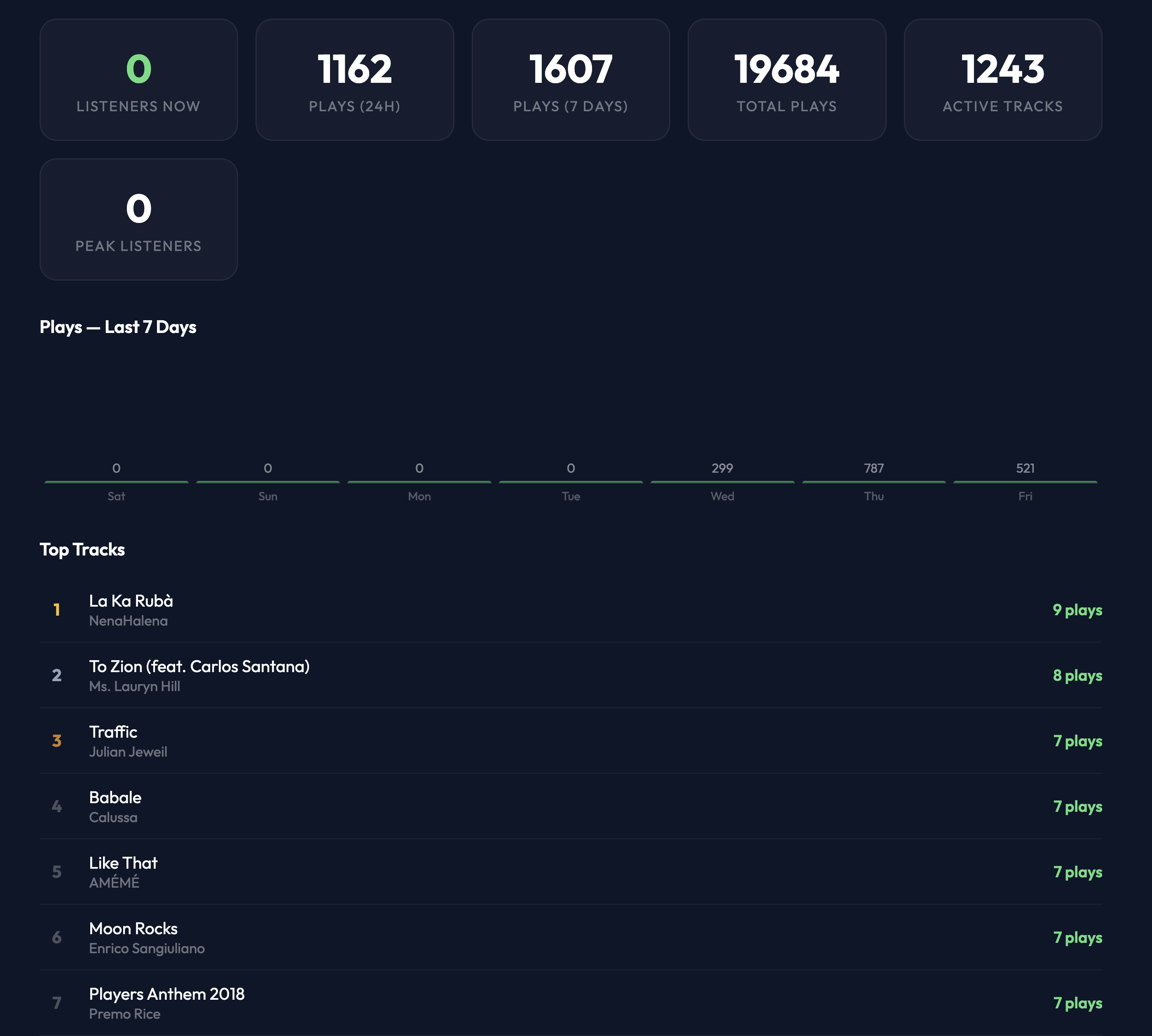
Real-time listener count, plays in the last 24 hours, plays in the last 7 days, total plays since the station started, active track count, peak listener count. A 7-day play chart. The top tracks list, ranked by plays.
Not invasive analytics. No IP addresses, no device fingerprinting. Aggregate numbers useful for deciding "did that new track land?" and "what time is my audience actually tuning in?"
Listener regions
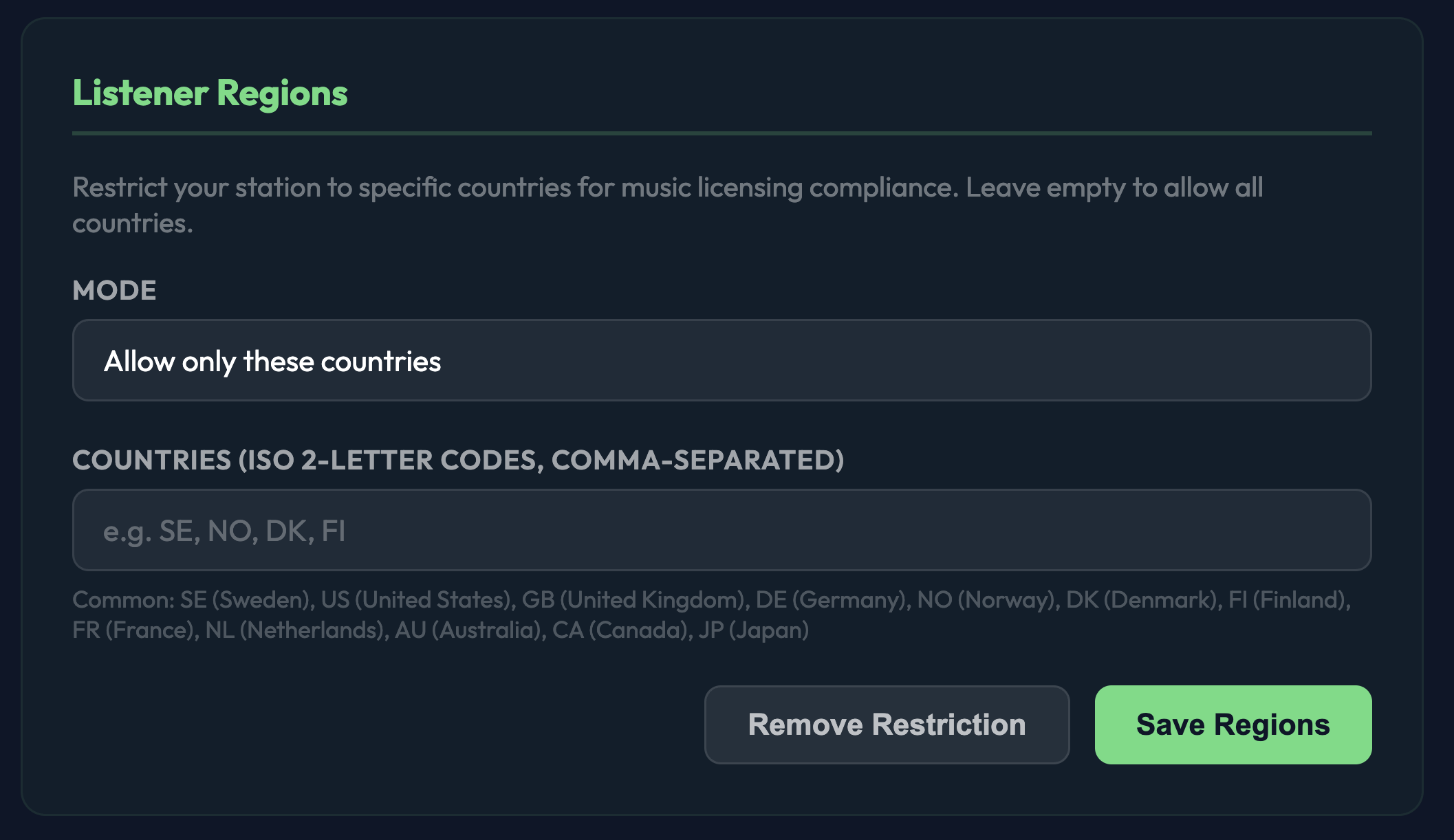
Most music licensing agreements are jurisdiction-specific. A STIM license covers Sweden. An ASCAP/BMI license covers the US. A PRS license covers the UK. Restricting your listeners to your licensed regions keeps you compliant.
Set an allow-list of ISO 2-letter country codes. Listeners from elsewhere see a friendly "station not available in your region" message. Leave empty for global access — only relevant if you're self-hosting licensed music or if the licenses you have are already global.
We can't advise on specific licensing — every jurisdiction is different. Our Music & Licensing guide has the basics and links to the right authorities.
Listener experience
A clean browser-based player. Cover art, track info, mood, reactions. Channel picker on the left. Playlists and discovery on the sidebar. Optional live video window when a broadcaster is on air. Works on any browser, any device, any network — no account required, no app required.
Listeners can react to tracks (emoji), see what else is on the platform via the discover surface. That's the whole surface. No suggested-content loops, no forced autoplay, no "please subscribe to continue."